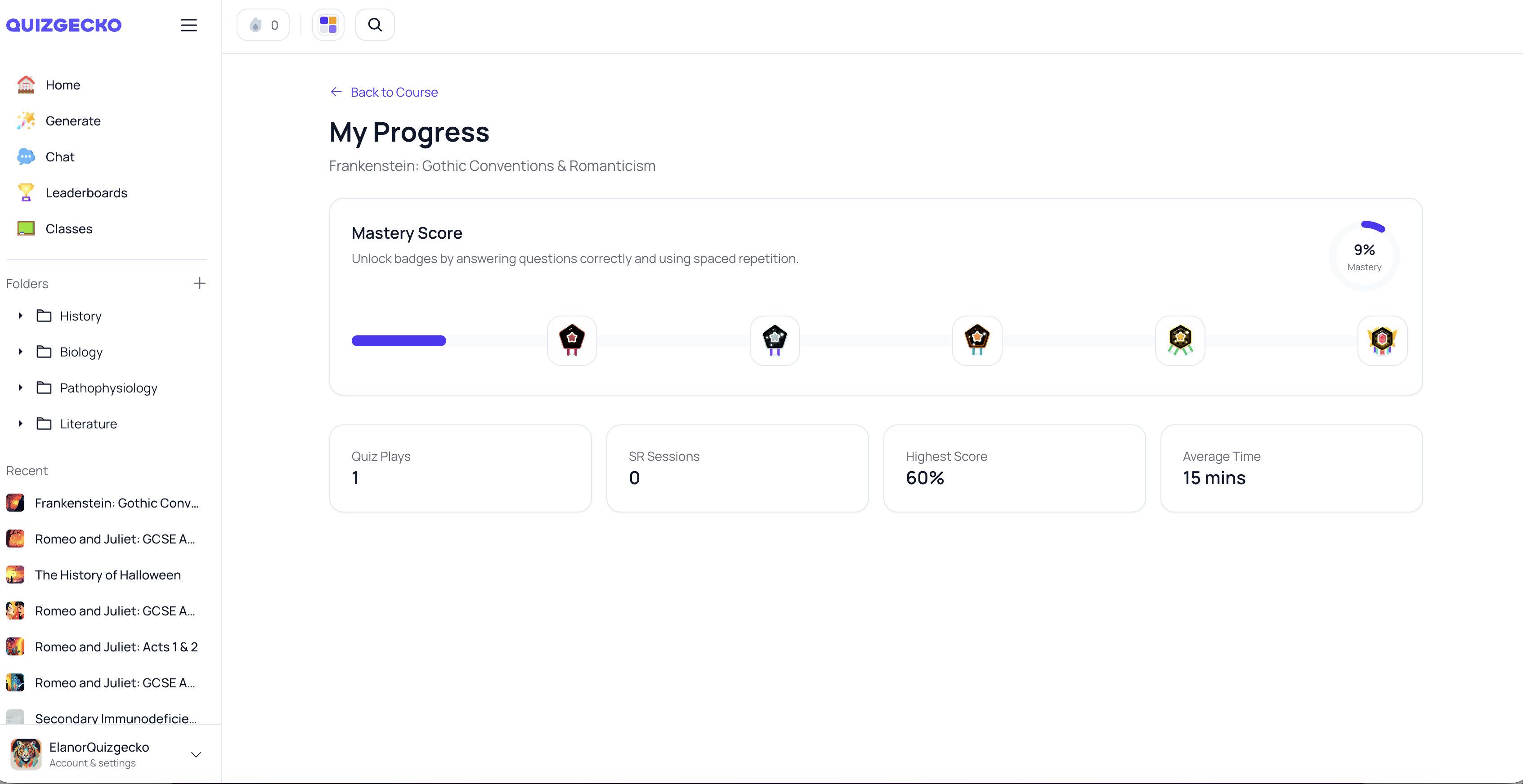
Quizgecko introduces the Mastery Score™, a simple stat that helps you track your progress and mastery of a subject.
Reach 100% by acing all the quiz questions and studying the flashcards until you know them perfectly.
What is the Mastery Score™?
The Mastery Score™ is a percentage value that represents your level of mastery over the questions in a specific quiz/flashcard set. It takes into account various factors, such as:
- Correctness of your answers
- Number of times you've reviewed each question
- Flashcard ease factor (how difficult you find each question)
By considering these elements, the Mastery Score™ provides a comprehensive assessment of your knowledge and retention.
How is the Mastery Score™ calculated?
Quizgecko's algorithm calculates your Mastery Score™ using a weighted scoring system. Here's a simplified overview:
- Correct answers contribute to a higher score.
- The more times you've reviewed a question, the higher its impact on your score
- Questions with a higher ease factor (i.e., those you find easier) have a greater influence on your score.
The exact calculation involves normalizing and averaging the scores for each question, taking into account the maximum possible score.
Benefits of the Mastery Score™
The Mastery Score™ offers several advantages for your learning journey:
- Track your progress: Monitor your mastery level over time and identify areas for improvement.
- Set goals: Use your Mastery Score™ as a benchmark to set achievable learning goals.
- Identify strengths and weaknesses: Pinpoint topics or questions that require more attention.
- Stay motivated: Celebrate your achievements as you watch your Mastery Score™ rise.
With the Mastery Score™, you have a powerful tool to guide your learning and ensure long-term retention.
Where can I view my Mastery Score™?
Click the Course for which you wish to view your Mastery Score™. Select More in the top-right corner, and then select My Progress.
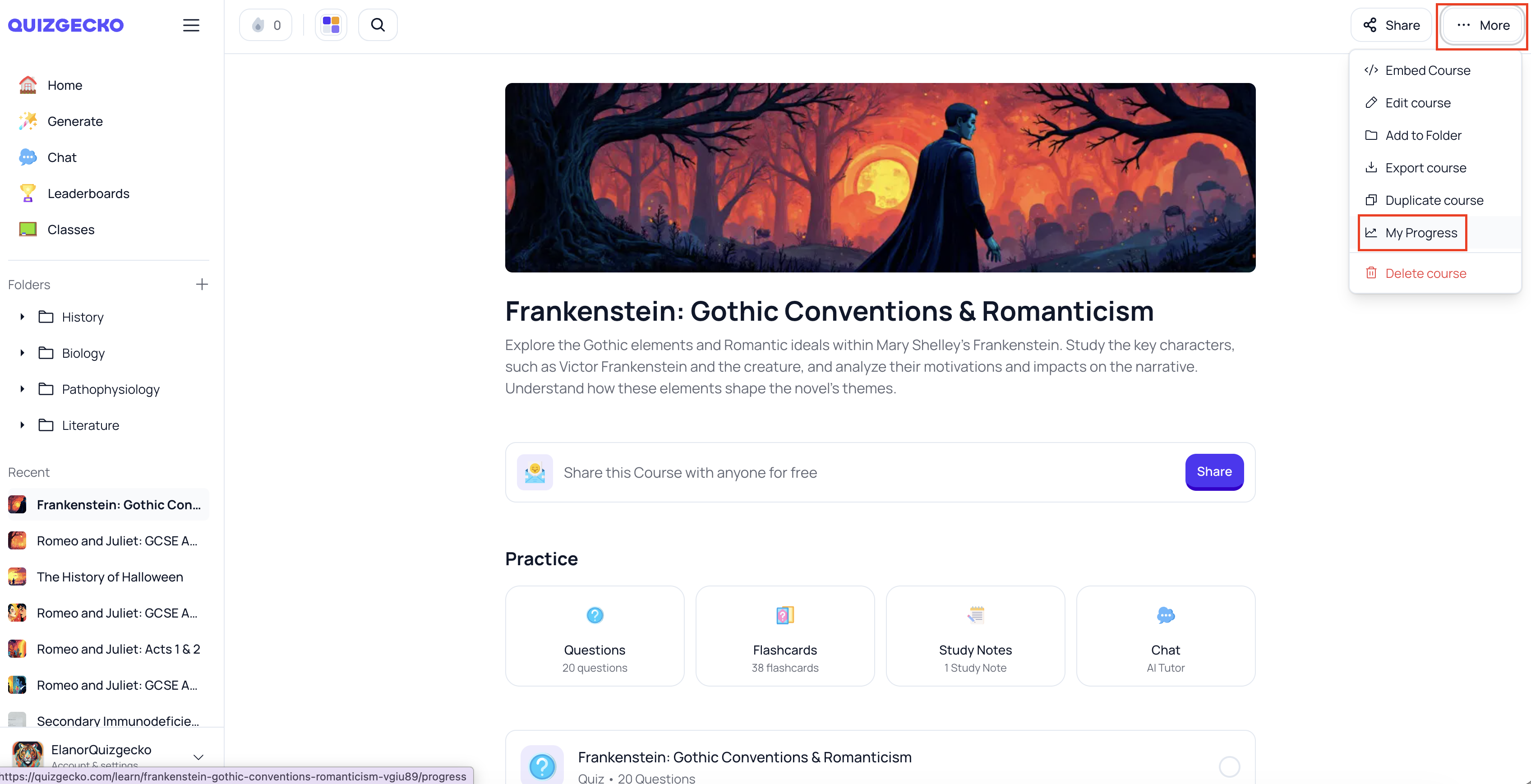
You can then view the Mastery Score™ for this Course alongside other progress stats.